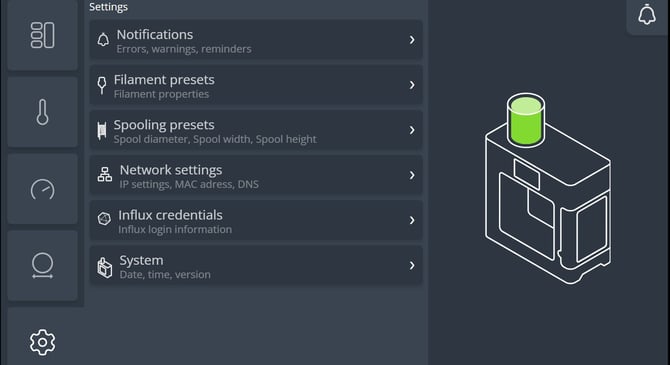
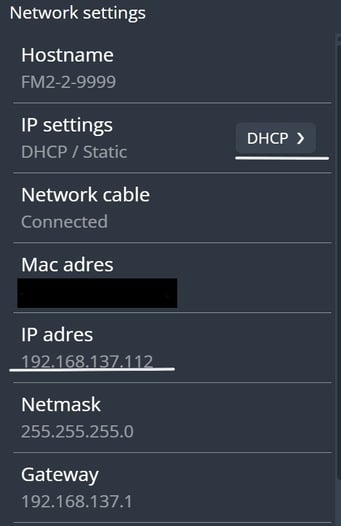
How to Share Internet from a PC to the Filament Maker TWO This guide explains how to connect the Filament Maker TWO to the internet by sharing your PC connection via a Wi‑Fi hotspot. Note: Make sure to connect your PC to the FM TWO using an Ethernet cable before starting the process. ( Windows ) Open Search. Type Control Panel and open it. Click into your network setting to find your Wi-Fi locate your Wi-Fi and click it In our case: Wi-Fi (3devo official) In your case: Wi-Fi (your network name) The Wi-Fi Status window will appear. Click on Properties. Go to the Sharing tab. Check both options. Click OK to confirm. For Mac Test the Connection: In your FM TWO, go to Settings. Open Network Settings. Make sure the IP settings are set to DHCP, not Static. Check whether an IP address is assigned. If an IP address is present, the connection is successfully established. If no IP address is shown, the device is not connected to the network