
This article outlines the proper and safe steps for removing the back panel of the machine, equipping you with the necessary guidance for effective maintenance and repair procedures.
What components are accessible?
By removing the back panel, you gain access to the power supply and mainboard electronics. Please note that accessing or servicing the extrusion system, including the heaters, does not require removal of the back panel; these tasks should be performed by taking off the top panel instead.
Step by step instructions

Caution: Ensure to always turn the machine off and remove the power plug when opening the back panel of the machine. The actuator board has high voltage components that can potentially cause serious injury.
- Ensure the machine has cooled down and is safe to turn off.
- Turn off the machine, using the power switch at the back.
- Unplug the power cable.
- Remove the six screws as in the image below.
- Carefully lift the panel from the machine and set aside.
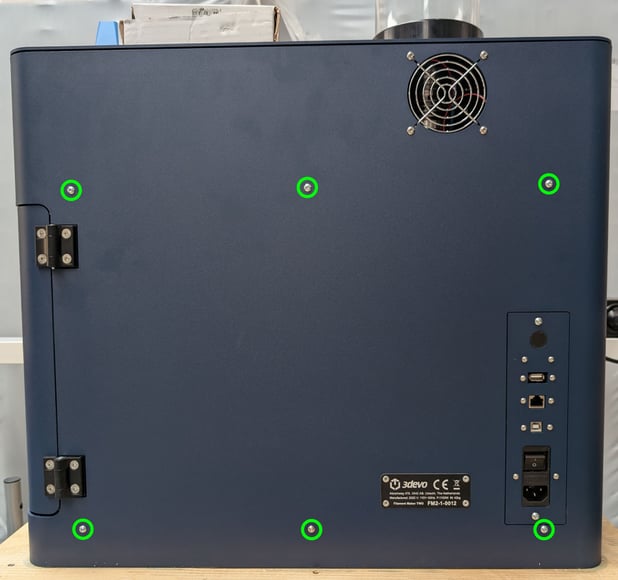
Back panel screws to remove. |
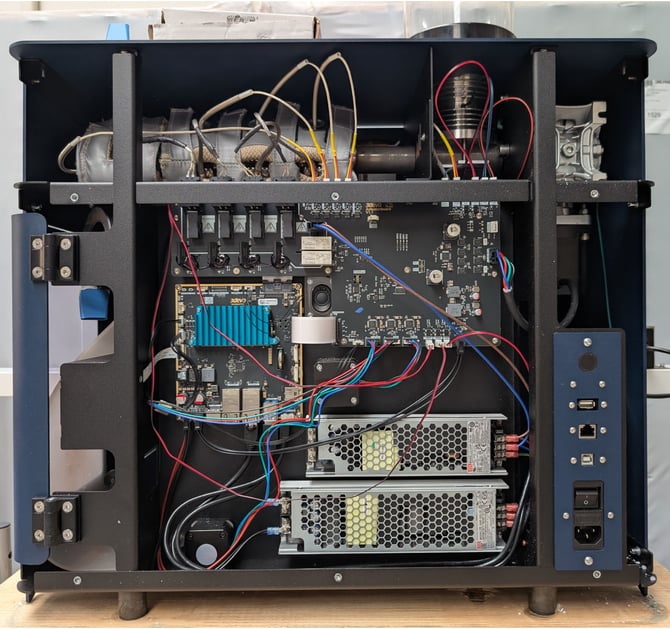 Backpanel has been removed |
Continue reading
The mainboard electronics troubleshooting article for the Filament Maker TWO.
Reinstallation
To reinstall the back panel after, simply follow the removal steps in reverse order.
Tip: Make sure all cables are positioned neatly to prevent them from becoming pinched or trapped between the panels during reassembly.