Skip to content
  • There are no suggestions because the search field is empty.

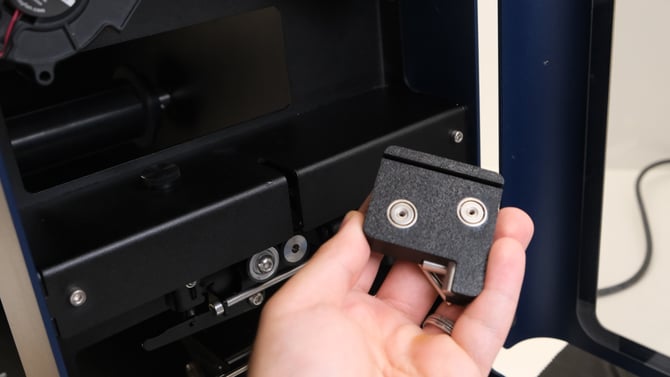
New Filament Stabilizer for the Filament Maker TWO

The Filament Stabilizer keeps the filament steady so it measures right 

What it is ?

A small tool that stabilizes the filament on the sensor plate, preventing movement and vibration from fans or unbalanced spools.


Why use it ?

Keeps the filament steady at the sensor for accurate measurements, helps produce smooth and even spools and improves print quality by preventing over- or under-extrusion.


How to install it ?
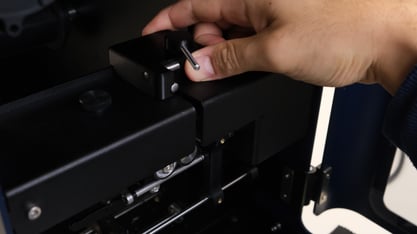
1. Find the filament sensor plate in the extrusion area. Stabilizer install 1
 
2. Put the stabilizer on top and slot it in the back of the sensor plate
Stabilizer install 2.5 Stabilizer install 2
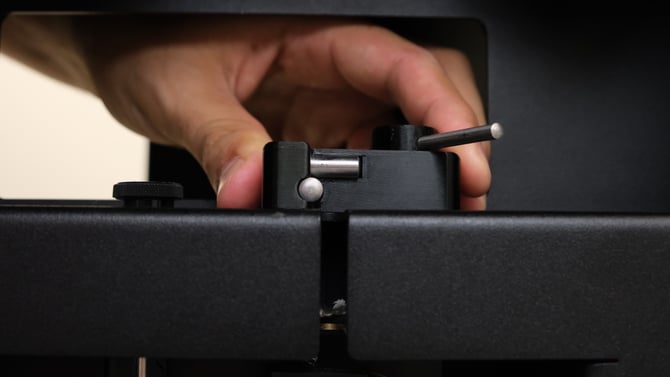
3. Line up the two metal bar corner with the filament slot.


Stabilizer install 3
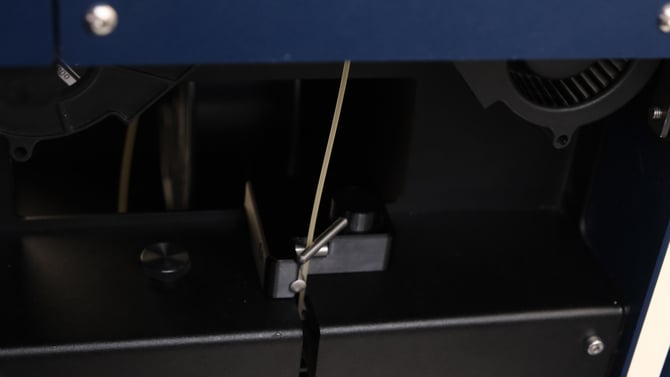
4. Use the movable third metal bar to fix the filament in place during extrusion experiments, to improve the filament stability Stabilizer install 4


Caution

The stabilizing handlebar should touch the filament softly, do not overtighten the bar! This might cause unforeseen flow issues or scars on the extruded filament.

Continue reading

This operation is part of the optimization kit for the Filament Maker TWO.